
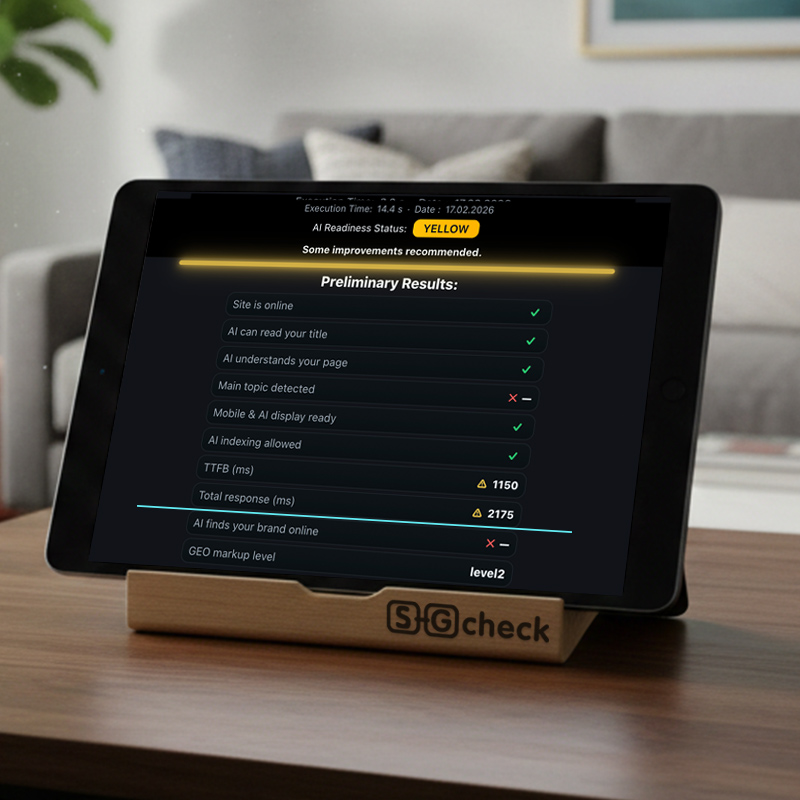
Total Response Time (also called full page load time) is the time from the first request until the page is completely interactive and usable. In 2026, this metric has become one of the most decisive factors — both for classic SEO rankings and for visibility in generative AI systems (Google AI Overviews, Gemini, ChatGPT, Perplexity).
What exactly is Total Response Time? It includes:
- TTFB (Time to First Byte) — server response time
- Resource loading (images, CSS, JS)
- Rendering and interactivity (CLS, INP)
Good values:
- Excellent: < 2 seconds
- Acceptable: 2–3 seconds
- Critical: > 4 seconds
Above 1500 ms users already perceive “lag” — bounce rate rises sharply, conversions drop, and AI bots reduce crawling depth.
Direct impact on conversion rate & revenue
- Every additional second of load time reduces conversions by 7–20% (Google & Amazon studies, still valid in 2026).
- In local services and e-commerce (Germany, Austria, Switzerland), slow loading costs thousands of euros monthly in lost leads.
- High Total Response Time → worse Core Web Vitals → lower rankings → less traffic from both Google and AI summaries.
Why Total Response Time matters even more for AI search
Generative AI crawls and parses sites at extreme speed. Slow response time means:
- AI bots abandon the page → content ignored or hallucinated
- Lower citation rate in AI Overviews and chat responses
- Reduced local visibility in maps and recommendations
Common causes of high Total Response Time
- Slow TTFB (poor hosting, no caching)
- Unoptimized images & heavy media
- Render-blocking CSS/JS (Elementor without optimization)
- Too many third-party scripts (tracking, ads)
- No CDN or edge caching
How to reduce Total Response Time and increase revenue
- Choose fast hosting (Hetzner Cloud, SiteGround, Cloudways with Redis).
- Enable full-page caching (LiteSpeed, Redis Object Cache).
- Use CDN (Cloudflare, BunnyCDN) with image optimization.
- Lazy-load images & defer non-critical JS/CSS.
- Minify & combine files (WP Rocket, Perfmatters).
- Monitor regularly with SEO Geo CHECK Full.
Quick test in 5–10 seconds
Run your free SEO & Geo Analysis now and see your real Total Response Time + TTFB. Full optimization recommendations and revenue impact calculation available in the professional audit.